 |
To place DTS orders
1. Select a DTS order type from the stop management drop down menu.
2. Press and hold the CTRL key. The order type icon changes:

3. Place your order. This confirmation opens:
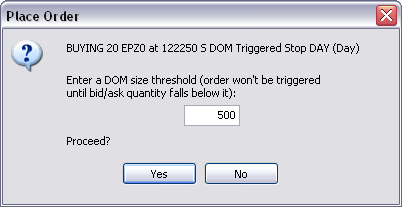
4. Select the DOM size threshold.
5. Click Yes.
|
efutures |